✦ Available on iPhone, iPad, Apple TV & Mac

Your IPTV,
Your Way.

Stream live TV, movies, and series from your own M3U or Xtream Codes source — across all your Apple devices. $2 once, yours forever.

App Store See Features

$2 one-time · No subscription · Bring your own source
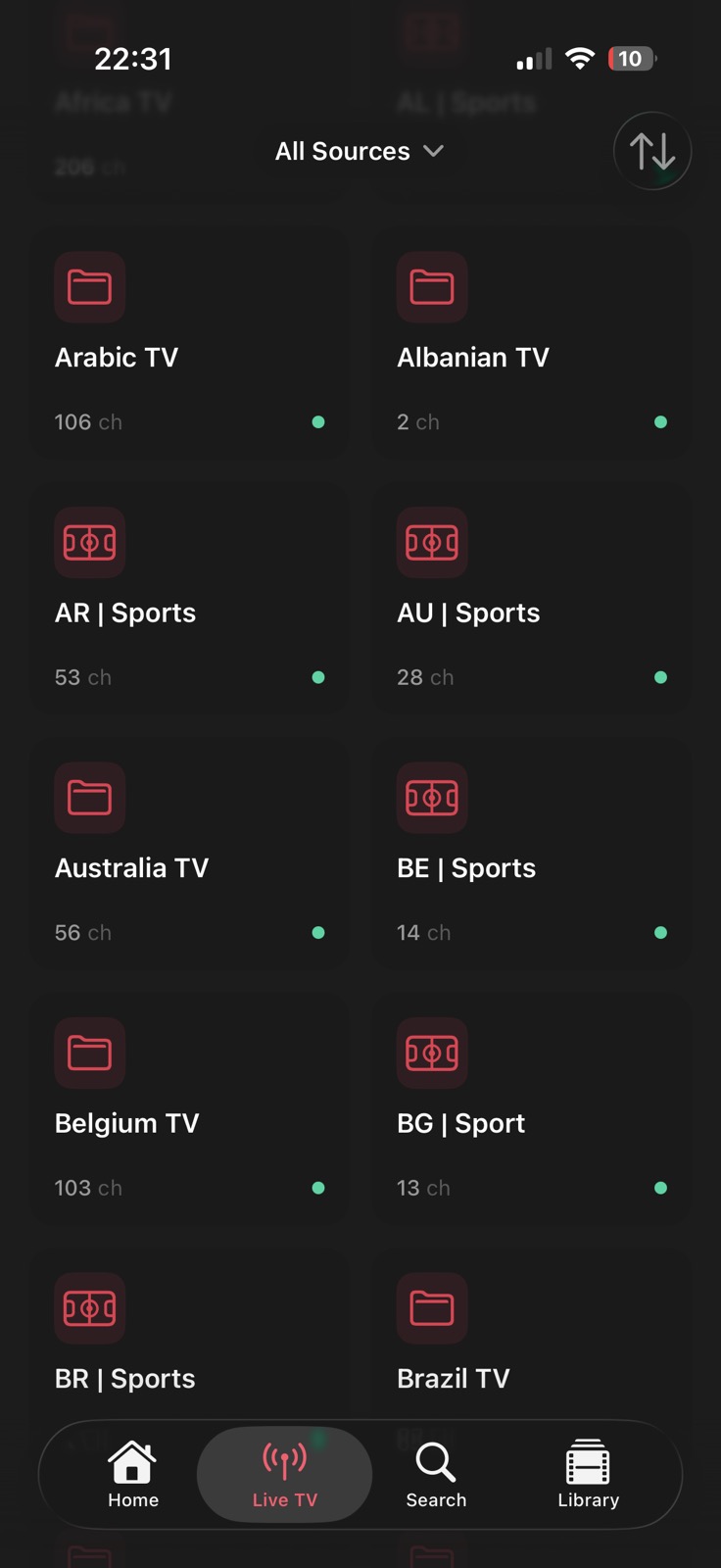
Live TV channel browser
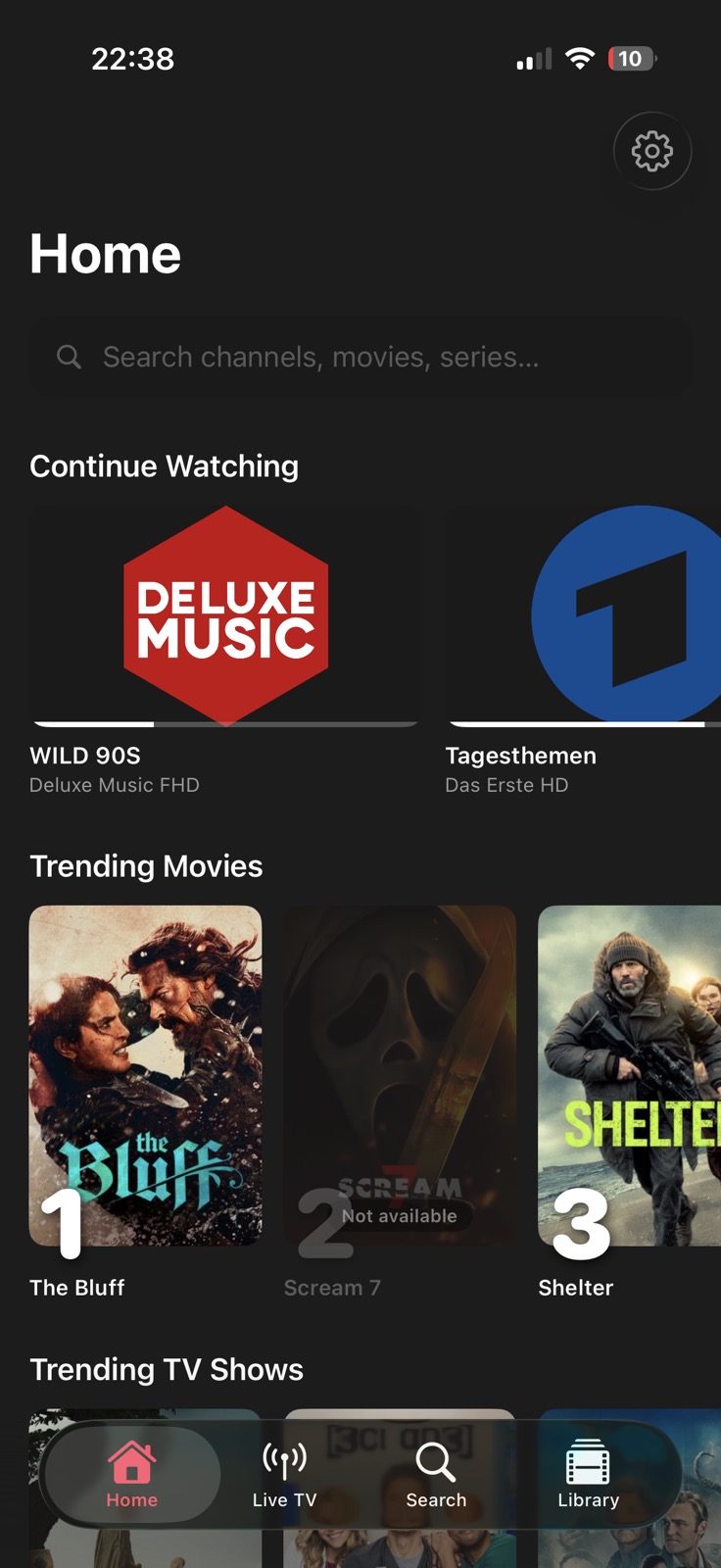
Home screen with trending content
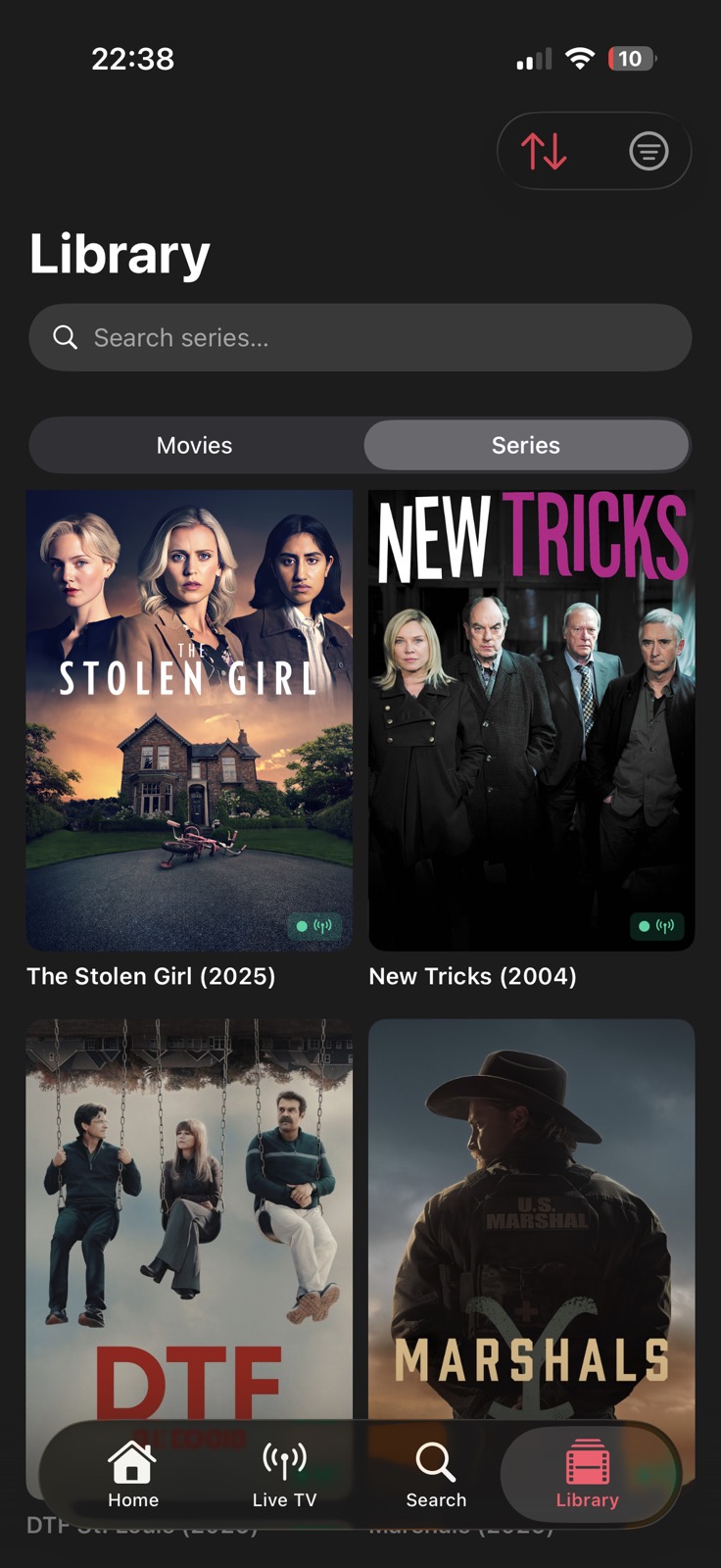
Library with series

Full-Screen Player

The player your stream deserves.

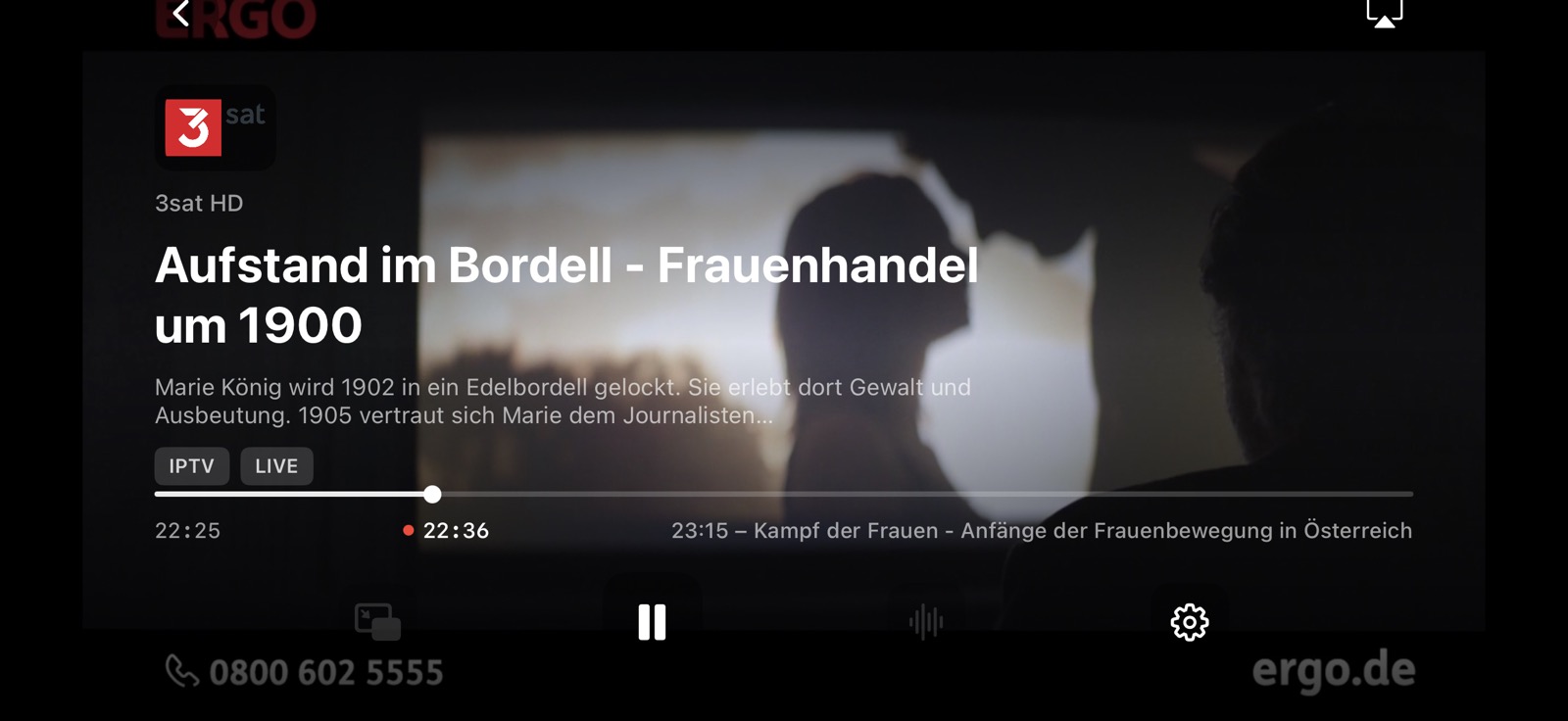
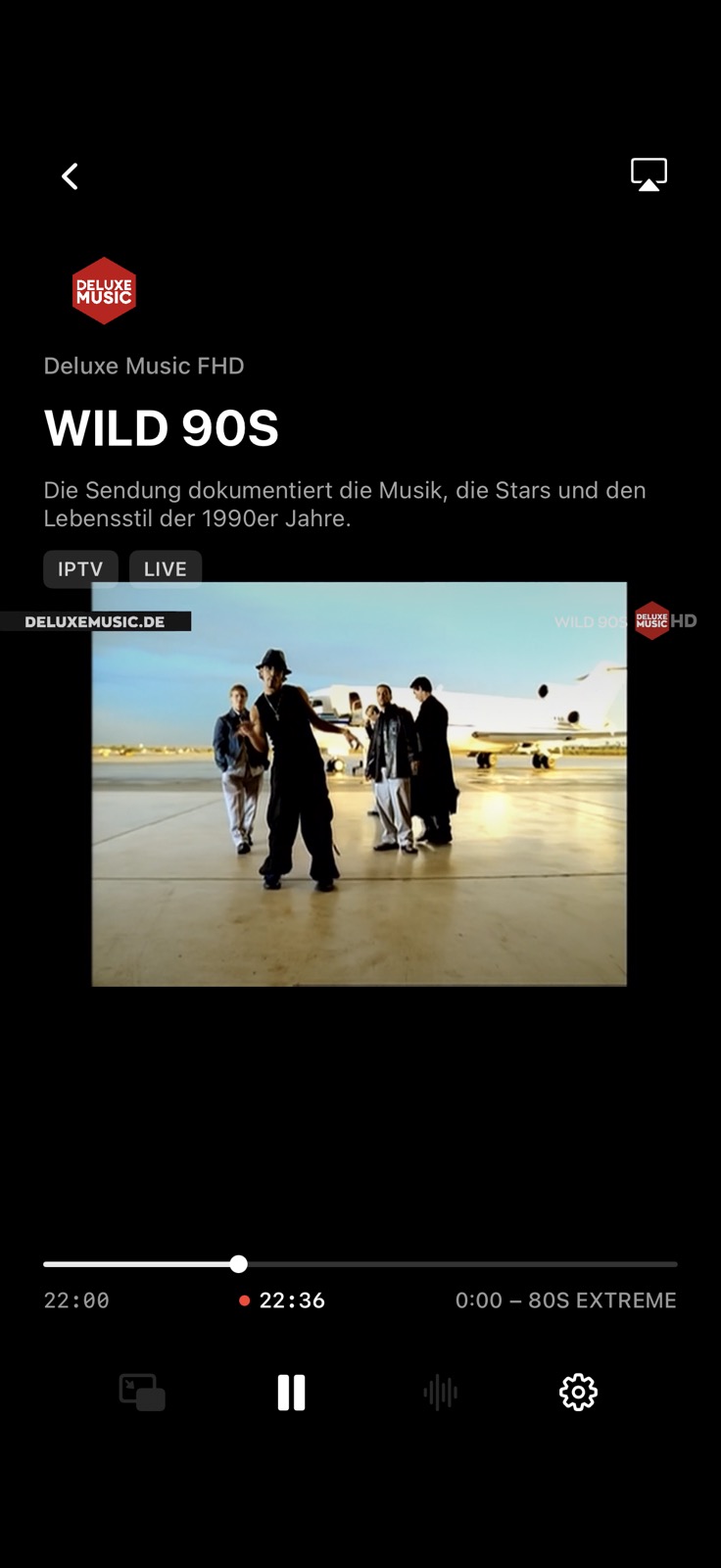
Live EPG right in the playback overlay. See what's on, what's next, and how far through the program you are — without leaving the player.

Full-screen player with live EPG overlay
VLC + AVPlayer dual engine
Live EPG progress bar
Audio track selector
AirPlay & Picture in Picture
Smart reconnect on stall
Lock screen Now Playing
VOD scrubber + skip ±30 s
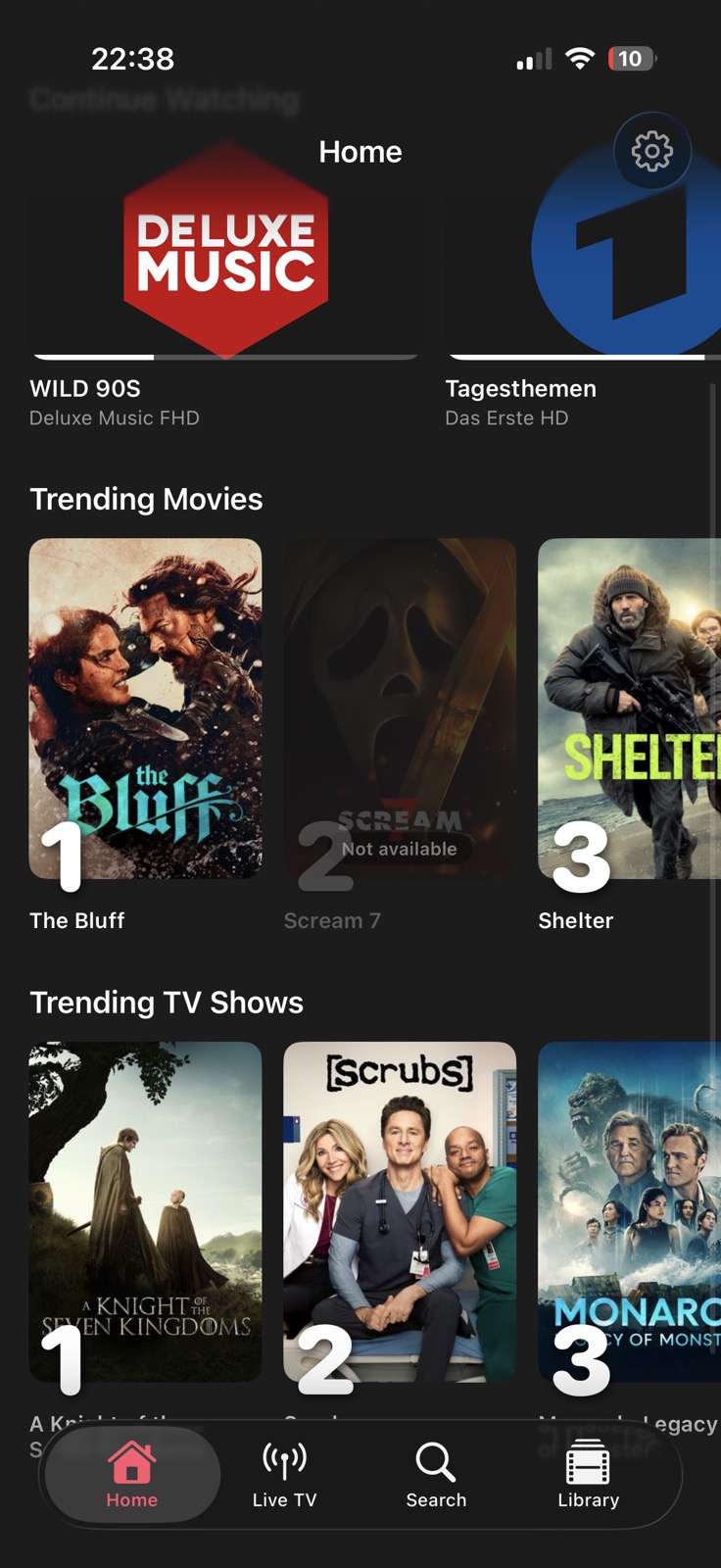
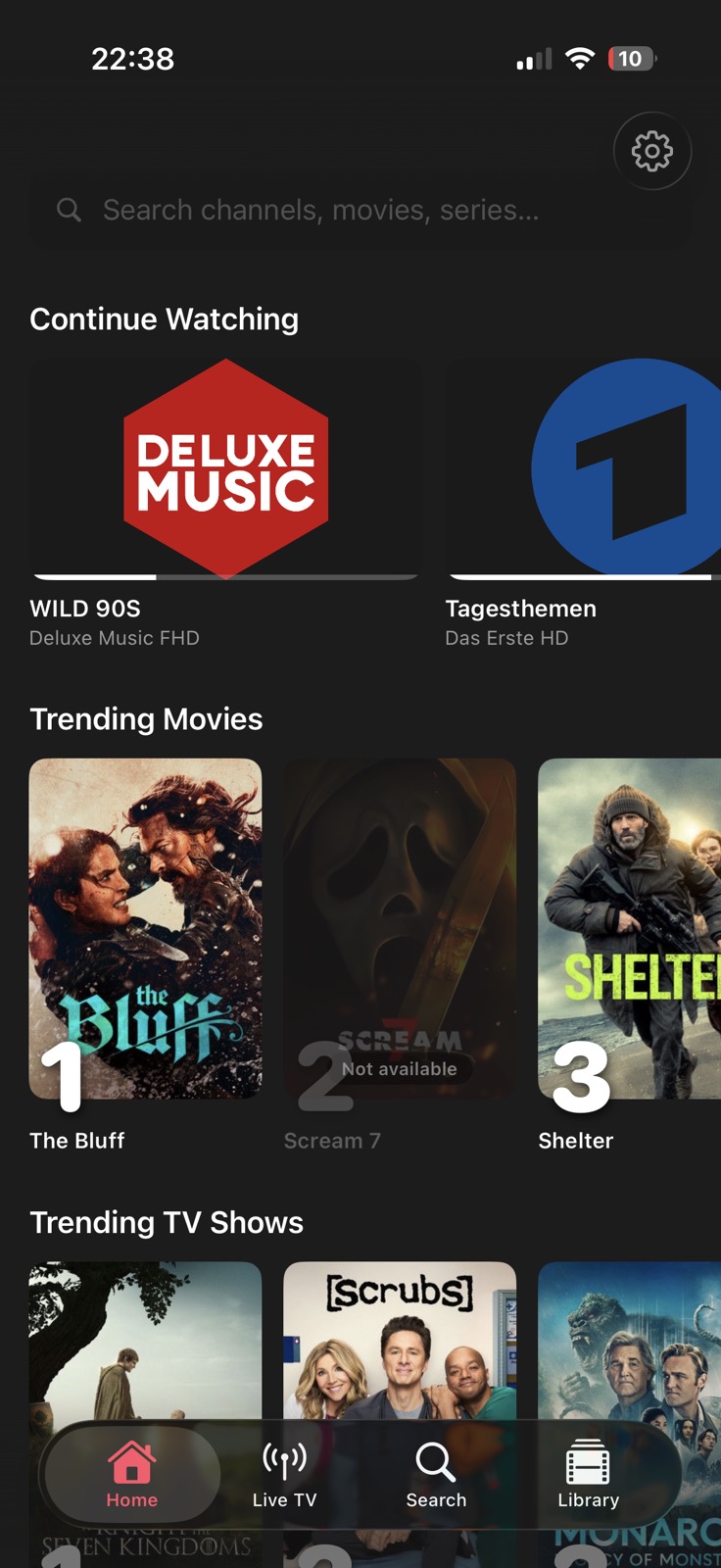
Home screen showing trending movies and TV shows
Home

Your whole world of content, one tap away.

The Home screen shows what you've been watching and what's trending — so you always have something to watch.

  • Continue Watching — jump back in from exactly where you left off
  • Trending Movies & TV Shows — weekly TMDB charts matched against your library
  • Favourite Channels rail — with live EPG "now playing" and a Mini TV Guide strip
  • Watch Alerts — keyword-based notifications for live events (e.g. "Champions League")
  • Poster art from TMDB for a cinematic browsing experience
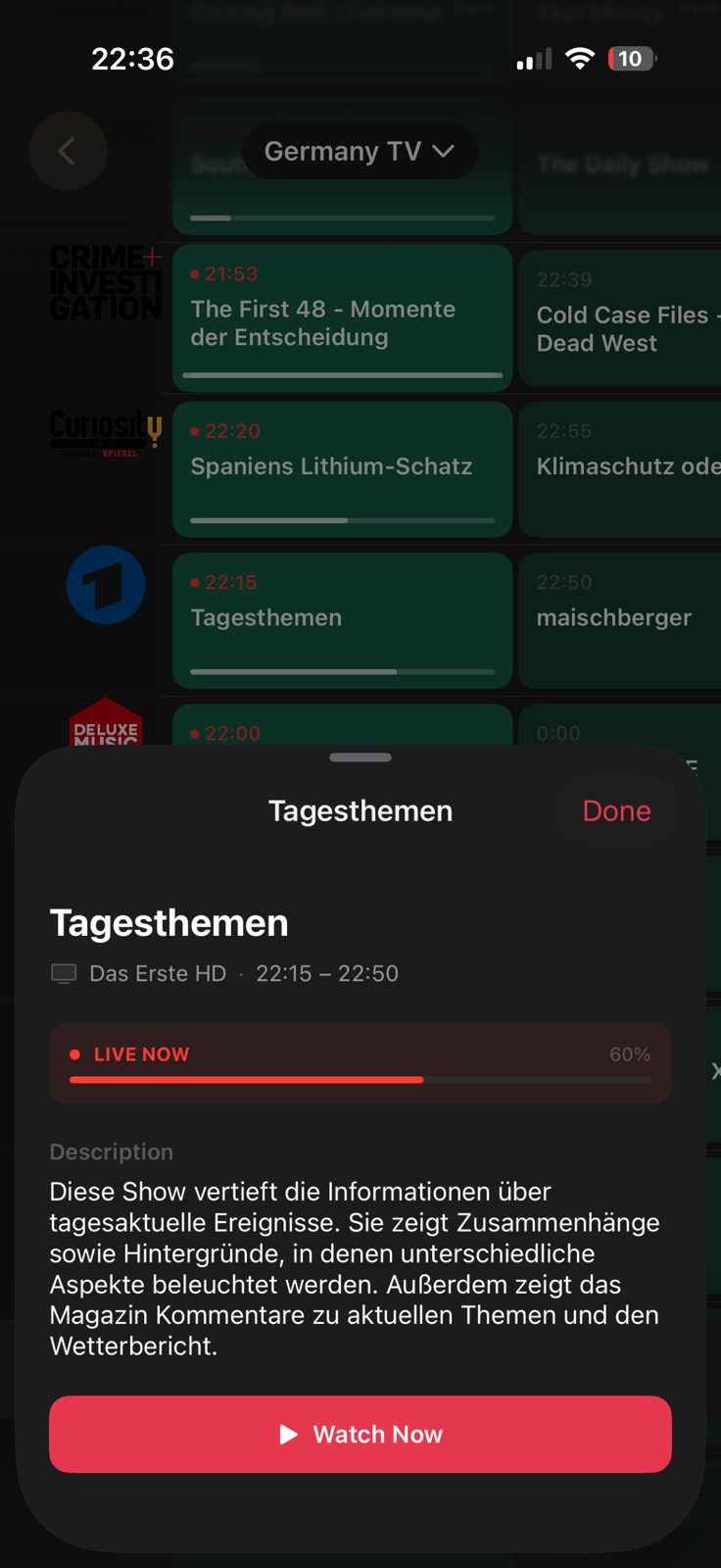
TV Guide with program detail sheet
TV Guide

A real TV guide. Not an afterthought.

The Guide tab renders a scrollable EPG timeline with live progress bars. Tap any program to get the full description and a one-tap Watch Now button.

  • Horizontal timeline — scroll forward to plan your evening
  • Program detail sheet — title, description, live progress, Watch Now
  • Source filter — see guide data for one provider at a time
  • Reminders — set a notification 5 min before a show starts
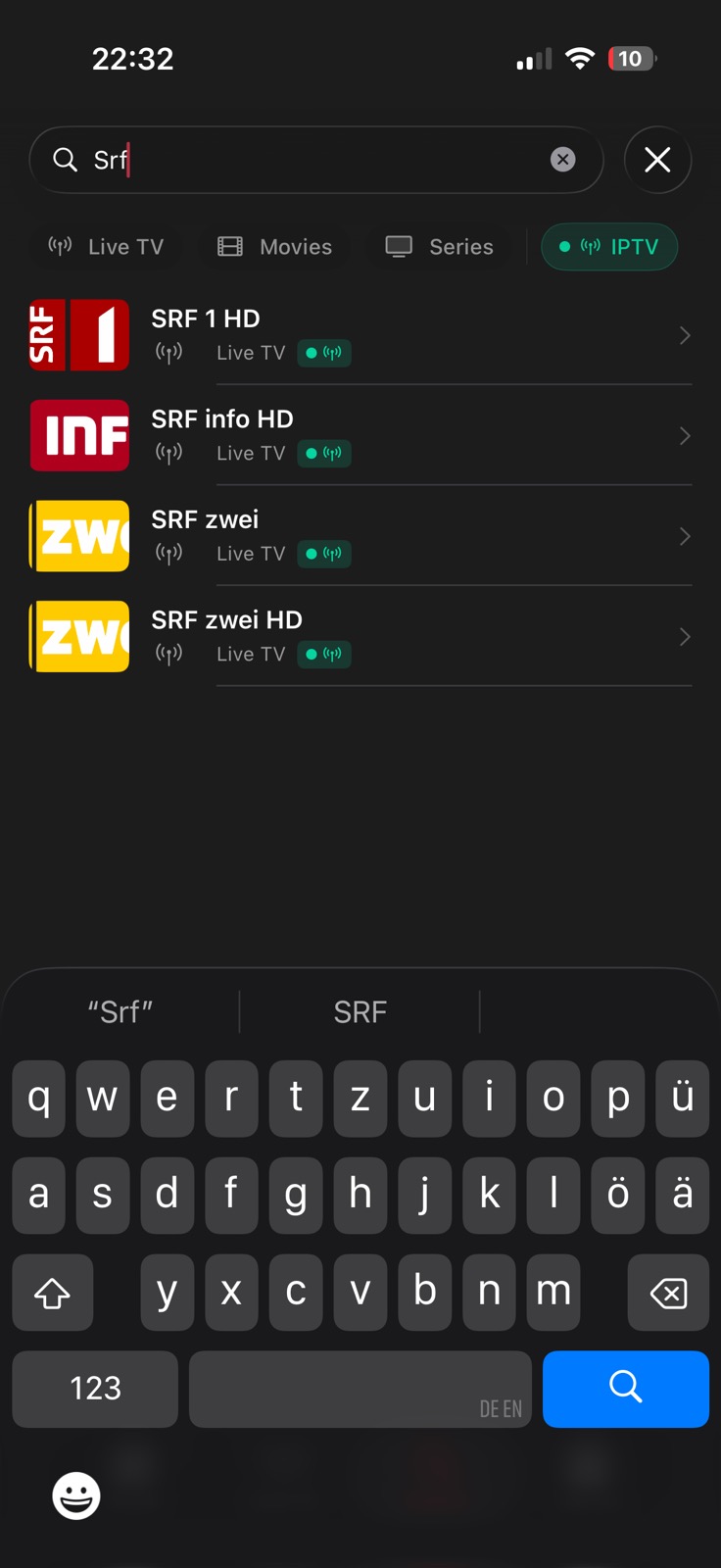
Search results for SRF channels
Search

Find anything across your entire library.

A single search bar covers live channels, movies, and series at once. Filter by content type or provider to narrow it down fast.

  • Cross-type results — live TV, movies, and series in one list
  • Filter chips — narrow by Live TV, Movies, Series, or source
  • 300 ms debounce — results appear as you type, no lag
  • Channel logos and poster art in every result row
Library series browser
Library

Movies and series, beautifully organised.

The Library separates movies from series and groups episodes by season. Sort by name, release year, or recently added. Browse thousands of titles in a smooth poster grid.

  • Movies & Series tabs — clean separation, no mixing
  • Episode browser — seasons and episodes in a collapsible list
  • Sort options — A–Z, Year (newest/oldest), Recently Added
  • Source filter — see only content from a specific provider

More screens

Home Now Playing Live TV TV Guide Search Library Settings
Home

Platforms

One app. Every Apple screen.

Native builds for iPhone, iPad, Apple TV, and Mac — each optimised for its form factor.

📱
iOS
iPhone & iPad · v1.2
  • Live TV with category grid, source filter & drag-to-reorder
  • 72-hour EPG timeline with program reminders
  • Home: Trending, Favourites rail, Continue Watching
  • Watch Alerts — keyword-based live event notifications
  • Global search across channels, movies & series (FTS5)
  • VLC + AVPlayer dual engine — VLC default
  • PiP, AirPlay, Lock Screen Now Playing
  • Overseerr / Jellyseerr server integration
🖥
macOS
Native (not Catalyst) · v1.2
  • NavigationSplitView sidebar — always visible, never auto-hides
  • ⌘, Preferences window
  • Double-click or Return to play; context menus instead of swipe
  • Drag-and-drop category reordering in Live TV
  • Full feature parity with iOS (Live TV, Library, EPG, Search…)
  • AVPlayerView + VLCKit bundled, switchable in Settings
  • AirPlay via menu bar route picker
  • PiP in a floating window

Everything else

Built for the real-world messiness of IPTV.

Every edge case that plagues other players — handled.

⚙️

Dual Player Engine

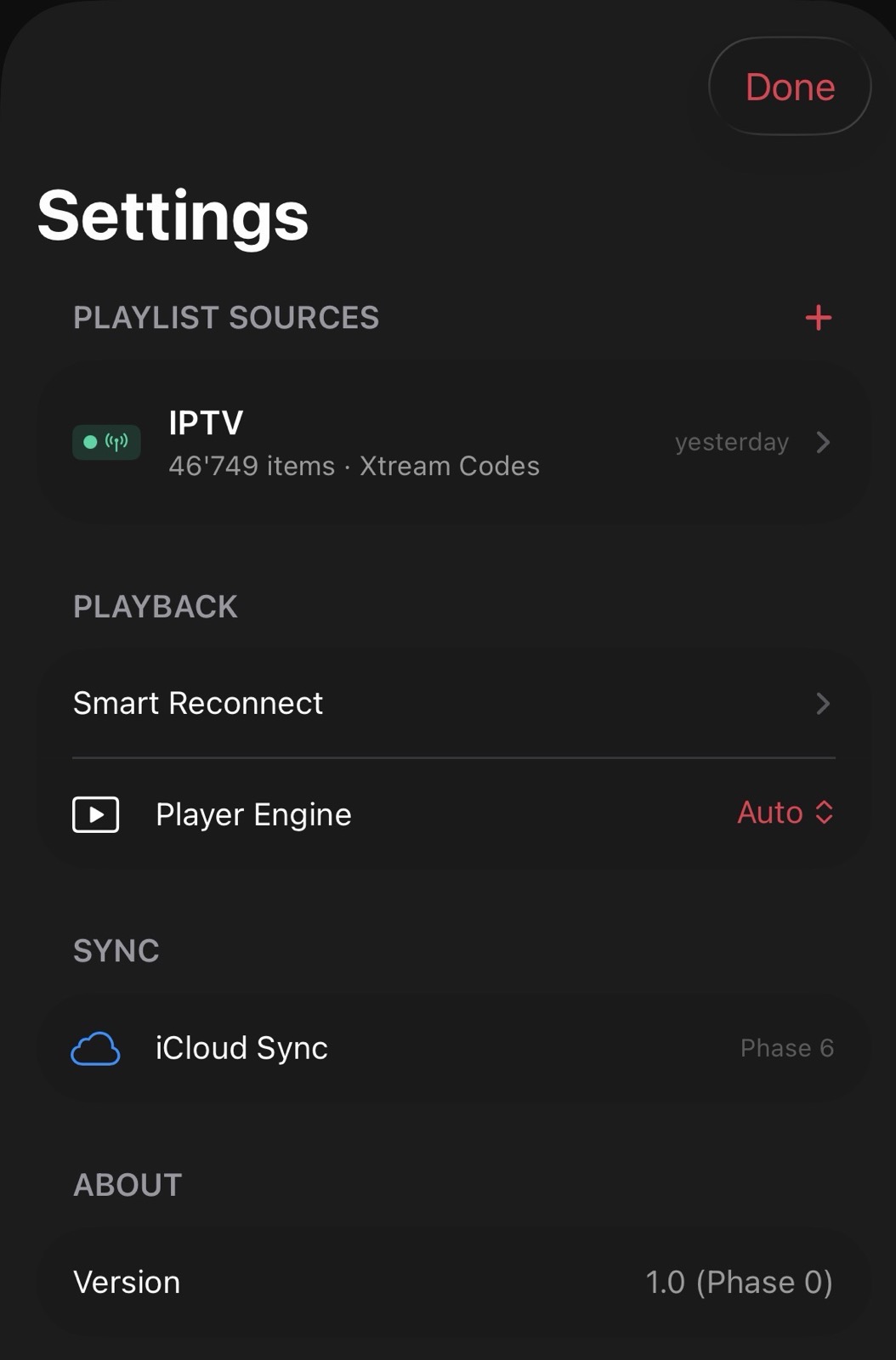
VLC is the default on iOS and Apple TV; AVPlayerView on macOS. Switch per stream in Settings. Up to 5 auto-retries with exponential backoff.

🔄

Smart Reconnect

Exponential backoff with up to 5 automatic retries. A "Retry Now" CTA appears so you don't have to leave the player to restart.

📺

Picture in Picture

Keep watching while you browse. PiP works system-wide so you never miss a moment.

🎙️

Audio Track Selection

Multi-audio streams let you pick your language. Tap the waveform icon in the player controls to switch tracks mid-stream.

⭐️

Favourites

Star channels for instant access. Favourites appear at the top of the Live TV tab across every session.

🔒

Multiple Sources

Add M3U playlists or Xtream Codes accounts. Passwords stored in the system Keychain. Per-source refresh interval: manual, 6h, 12h, daily, or weekly.

🔔

Watch Alerts

Define keywords (e.g. "Champions League") and get a push notification whenever a matching live event appears in your EPG — so you never miss it.

⏮️

Timeshift DVR Coming Soon

Pause, rewind, and scrub back through live TV on Apple TV. Recording to a local buffer — in the works.

🎬

Overseerr Integration

Connect your Overseerr or Jellyseerr server to request movies and shows directly from the AnarchTV Library — without switching apps.

Get started

Up and running in minutes.

1

Download AnarchTV

Get it from the App Store for $2 — one-time, no subscription — on iPhone, iPad, Apple TV, or Mac running iOS / tvOS / macOS 17 or later.

2

Add your source

Paste an M3U URL or enter your Xtream Codes host, username, and password in Settings → Add Source.

3

Sync your library

AnarchTV imports channels, movies, and series in the background. Large libraries (50,000+ items) complete in under a minute.

4

Watch

Browse live TV, search your library, check the guide, and start watching — no account, no recurring fees, no ads.

Privacy

Your data stays on your device.

AnarchTV is designed with privacy as a default, not an afterthought.

🚫

No tracking

No analytics, no crash reporters, no third-party SDKs that phone home. Ever.

📱

Local database

Your channel list, watch history, and favourites live only in a local SQLite database on your device.

🔑

Keychain for passwords

Xtream Codes passwords are stored in the system Keychain. They are never sent to any server other than your IPTV provider.

🌐

Outbound connections

The app only connects to your IPTV source, TMDB (for trending posters, optional), and Apple's AirPlay infrastructure.

Ready to watch on your terms?

$2 once. No subscription. No account. Just your streams.

Download on the App Store